
Close Menu
Must Have Gadgets –

    Subscribe to Updates

    Get the latest creative news from FooBar about art, design and business.

    What's Hot

    OnePlus Removes AI Writing Feature to Fix It After Censorship Claims

    December 8, 2025

    Stop, Shop, and Scroll

    December 8, 2025

    JBL Grip Review: A Bluetooth Speaker With Lava Lamp Vibes

    December 8, 2025
    Facebook X (Twitter) Instagram
    Must Have Gadgets –
    Trending
    • OnePlus Removes AI Writing Feature to Fix It After Censorship Claims
    • Stop, Shop, and Scroll
    • JBL Grip Review: A Bluetooth Speaker With Lava Lamp Vibes
    • OpenAI boasts enterprise win days after internal ‘code red’ on Google threat
    • ‘Five Nights at Freddy’s 2’ Has a Big Post-Thanksgiving Open
    • Infinix × PUBG MOBILE: A New Era of Esports Resonance from Africa
    • Netflix just added a gripping psychological thriller series from HBO Max — and it’s based on a shocking true story
    • EV, Hybrid, or Gas? We Know Which One Is Losing You Money Every Month
    • Home
    • Shop
      • Earbuds & Headphones
      • Smartwatches
      • Mobile Accessories
      • Smart Home Devices
      • Laptops & Tablets
    • Gadget Reviews
    • How-To Guides
    • Mobile Accessories
    • Smart Devices
    • More
      • Top Deals
      • Smart Home
      • Tech News
      • Trending Tech
    Facebook X (Twitter) Instagram
    Must Have Gadgets –
    Home»Smart Devices»One UI 8.5 May Let You Prioritize Notifications So You Don’t Miss Them
    Smart Devices

    One UI 8.5 May Let You Prioritize Notifications So You Don’t Miss Them

    adminBy adminOctober 26, 2025No Comments2 Mins Read
    Facebook Twitter Pinterest LinkedIn Tumblr Email
    One UI 8.5 May Let You Prioritize Notifications So You Don’t Miss Them
    Share
    Facebook Twitter LinkedIn Pinterest Email

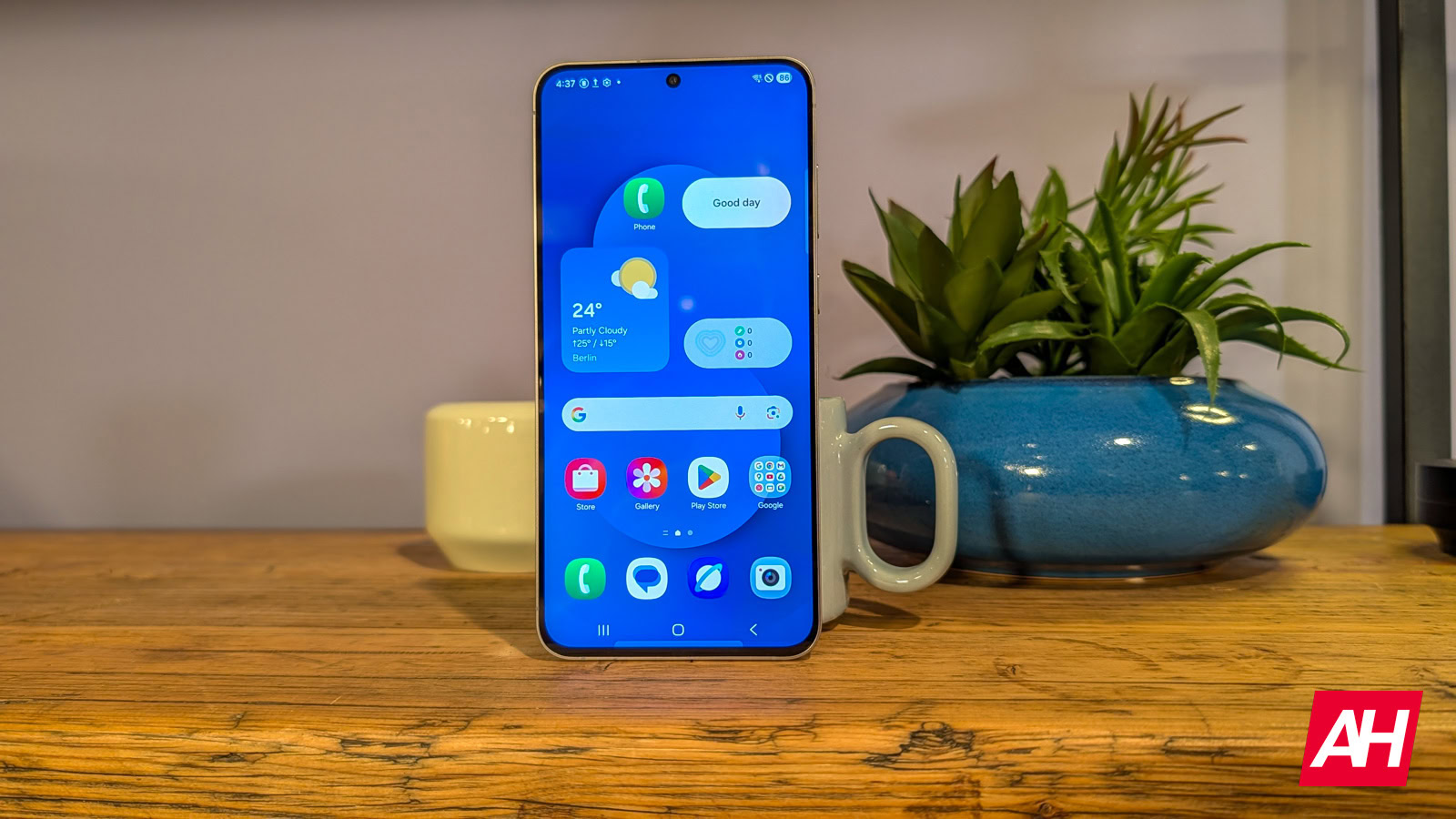
    At this point, One UI 8.5 is no secret, with numerous leaks revealing what could be on offer when it eventually rolls out. Though Samsung wants to keep it a mystery, leaks keep popping up at regular intervals. Unlike the One UI 8, the new version could be a step up in terms of new features and UI. A new leak now hints at an upgrade to notifications. One UI 8.5 could let you prioritize notifications on your Galaxy device.

    One UI 8.5 may allow you to prioritize notifications

    A newly leaked One UI 8.5 firmware adds the “Prioritize notification” toggle in the settings, as spotted by Sammyguru. This will let you prioritize specific alerts. When the toggle is on, you can set certain notifications as important. The report also shared an alleged screenshot of the feature.

    The description suggests that users will be able to set high-priority notifications for each app in its settings. Once you do it, notifications from these apps will appear above other notifications. This option will ensure you don’t miss these alerts.

    This can be quite handy if you keep missing important notifications like emails. You can manually prioritize notifications for any app on your Galaxy device. So, no matter when you pick up the phone, those unread notifications will always appear on top.

    Priority notifications will appear on top

    The screenshot shows the Galaxy AI logo, hinting that AI could be working behind the scenes in sorting these notifications. However, the description clarifies that notification content is processed on your phone, meaning it won’t be sent to the cloud. This is quite reassuring, though.

    Apple introduced a similar feature to show priority notifications at the top with iOS 18.4. This uses Apple Intelligence to show notifications from important contacts in a separate group. However, Samsung’s feature doesn’t mention anything about priority notifications from contacts.

    It’s not clear whether the beta version, which may be out in November, will include this or other leaked features. The stable One UI 8.5, based on Android 16, is expected to debut with the Galaxy S26 series early next year.

    Dont notifications Prioritize
    Share. Facebook Twitter Pinterest LinkedIn Tumblr Email
    admin
    • Website

    Related Posts

    JBL Grip Review: A Bluetooth Speaker With Lava Lamp Vibes

    December 8, 2025

    Apple’s AirPods Pro 3 are back to an all-time low price

    December 8, 2025

    Console sales surged over Black Friday, with PS5 taking the lion’s share thanks to big discounts

    December 8, 2025
    Leave A Reply Cancel Reply

    Top Posts

    OnePlus Removes AI Writing Feature to Fix It After Censorship Claims

    December 8, 2025

    PayPal’s blockchain partner accidentally minted $300 trillion in stablecoins

    October 16, 2025

    The best AirPods deals for October 2025

    October 16, 2025
    Stay In Touch
    • Facebook
    • YouTube
    • TikTok
    • WhatsApp
    • Twitter
    • Instagram
    Latest Reviews
    How-To Guides

    How to Disable Some or All AI Features on your Samsung Galaxy Phone

    By adminOctober 16, 20250
    Gadget Reviews

    PayPal’s blockchain partner accidentally minted $300 trillion in stablecoins

    By adminOctober 16, 20250
    Smart Devices

    The best AirPods deals for October 2025

    By adminOctober 16, 20250

    Subscribe to Updates

    Get the latest tech news from FooBar about tech, design and biz.

    Latest Post

    OnePlus Removes AI Writing Feature to Fix It After Censorship Claims

    December 8, 2025

    Stop, Shop, and Scroll

    December 8, 2025

    JBL Grip Review: A Bluetooth Speaker With Lava Lamp Vibes

    December 8, 2025
    Recent Posts
    • OnePlus Removes AI Writing Feature to Fix It After Censorship Claims
    • Stop, Shop, and Scroll
    • JBL Grip Review: A Bluetooth Speaker With Lava Lamp Vibes
    • OpenAI boasts enterprise win days after internal ‘code red’ on Google threat
    • ‘Five Nights at Freddy’s 2’ Has a Big Post-Thanksgiving Open

    Subscribe to Updates

    Get the latest creative news from FooBar about art, design and business.

    Facebook
    • About Us
    • Contact Us
    • Privacy Policy
    • Terms and Conditions
    • Disclaimer
    © 2025 must-have-gadgets.

    Type above and press Enter to search. Press Esc to cancel.