

Robert Triggs / Android Authority
I love Google Photos; its ease of use and feature set are unrivaled in my opinion. However, I’m an even bigger fan of self-hosting — I use my DIY NAS to replace a considerable range of overpriced subscription services. However, so far, I haven’t been able to replace Google Photos completely, but I might have finally found a way to truly cut the cord.
See, I’m loath to fork out for Google One when I have 10TB of hard drive space on my NAS. Still, I use Google Photos to make the occasional quick edit, to help share snaps with friends and family quickly, and even duplicate a few of my most cherished memories as part of the recommended 3-2-1 backup rule. For storing most of my older snaps, I’ve been using PhotoPrism, but as good as it is as a photo library, it lacks the rich feature set of Photos, especially for managing multiple users in my home.
Would you consider hosting your own Google Photos alternative?
439 votes
I’m already doing it.
32%
Yes, but it would need to be simple.
48%
No, Google Photos is amazing.
18%
I use a different cloud service.
3%
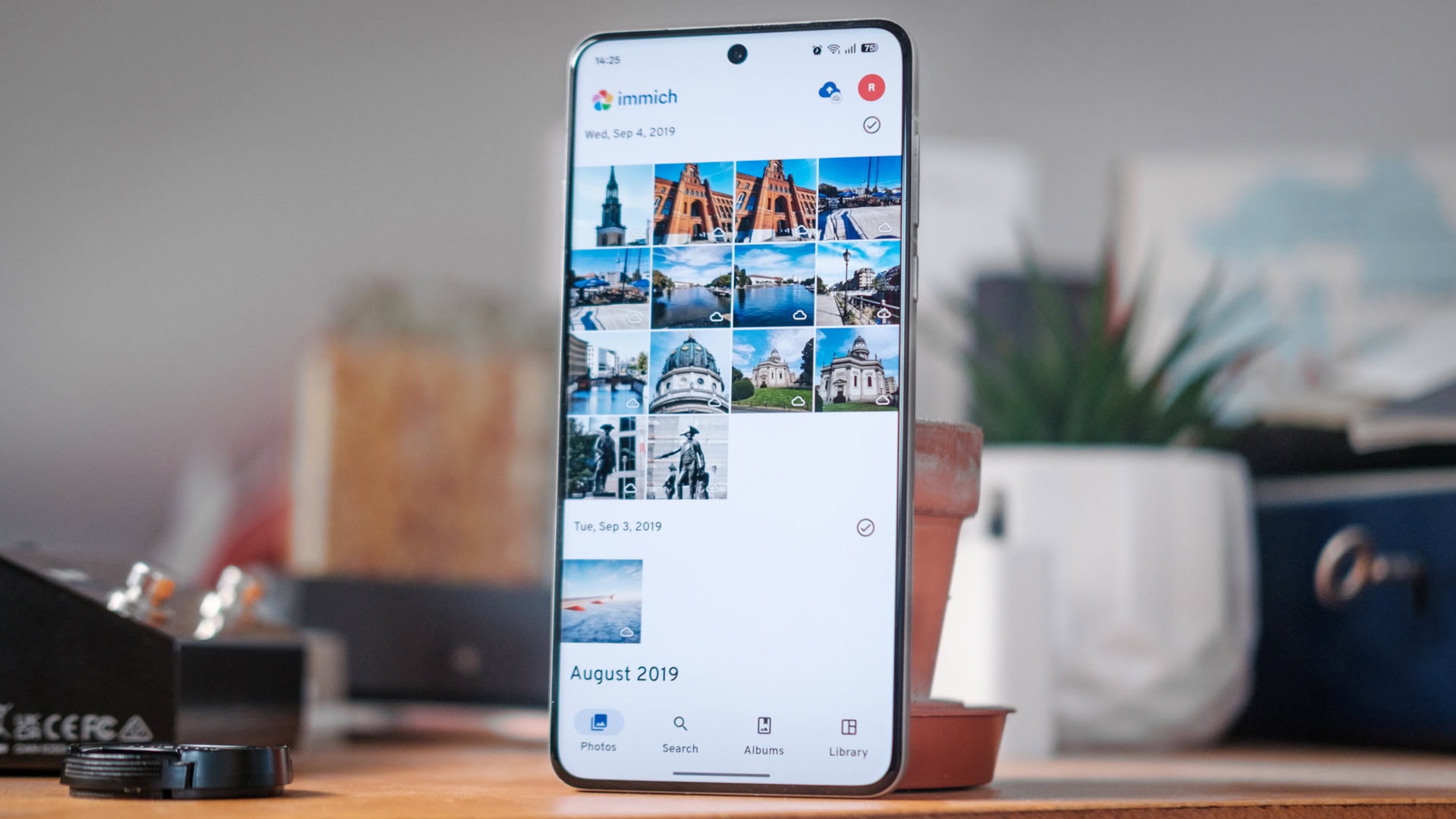
As a replacement that’ll come much closer to Google’s feature set and setup, I’ve had my eye on Immich for a long time. This self-hosted photo library and organization tool certainly evokes a familiar look and feel, and has definitely been inspired by many of the cloud platform’s classic features.
The service reached its first stable build towards the end of 2025, and I’ve finally had the time to spin it up and see if it will replace Photos for me. Here’s how I got it working and whether you should bother spinning it up, too.
How and where can you run Immich?
Robert Triggs / Android Authority
The first question to consider when thinking about moving away from a popular service like Google Photos is: Where and how will I run my alternative?
If you have your own NAS or a little DIY mini-PC alternative, you can certainly host it yourself. The alternative, which is particularly useful if you want internet access to your photos, is to host on a virtual private server (VPS). However, the costs of a VPS plus significant online storage could be higher than paying for Google One, so the only reason to go down this route would be the privacy option.
Immich has guides for quick setup on popular NAS services and self-hosting options, including one-click installs for Synology, TruNAS, Unraid, DigitalOcean, Vultr, and more. I opted for the recommended Docker Compose route on my DIY NAS because I love a good container; however, the point is that you should be well-equipped to get started on whatever platform you prefer.
Immich is much like Google Photos, but you host the server on your own private network.
The other half of the equation is how to transfer photos from your phone to your library. Immich provides a web UI for desktop environments, which is a nice start. Thankfully, there are also dedicated apps for both Android and iOS that can handle backups and library browsing. The app is free too (though you can support the project), which is something that can’t be said for some alternative self-hosting setups.
The final and completely optional piece of the puzzle is deciding whether you want to access Immich outside of your home. This is a helpful option if you travel a lot and is an essential step if you want to share albums with friends and family via URL links. However, exposing any service to the web is always a risk, so I’ll leave you to conduct your own research to ensure you fully understand what you’re doing. I’ve left mine offline for now, as the app stores a cache and can update when you’re back on your home Wi-Fi, which is more than good enough for me.
How does it really compare with Google Photos?
Robert Triggs / Android Authority
Now, Immich is not a direct Google Photos alternative — self-hosting obviously isn’t for everybody, after all. Still, it does aim to emulate its look and some of its more quintessential features, but it does this with more advanced admin features to help store and manage all your family’s photos without merging everything together. And that’s the big difference here: Immich is as much about managing users as it is about organizing your photos.
Setting up accounts is as simple as specifying an email address and a password; each user instantly receives their own private photo library, complete with the option of a password-protected locked folder. You can instantly share albums between other Immich users on your instance, which is a significant boon for my household. Plus, you can share your entire library with a partner account. So while each account is private and unique, just like Google, you can easily share snaps and memories across accounts on your system.
Speaking of administration, Immich is packed with metrics to help you quickly visualize the size of your library, the breakdown of photos to video, and your overall storage or remaining quota. It’s not overly complex, but there’s just enough detail here to help you plan as your storage gradually fills up.
There are even more advanced features, but these require additional setup, such as OAuth logins, email notifications, and time-limited public/external image sharing. Speaking of sharing, other accounts can contribute to shared albums, and you can even accept public uploads for shared links. I haven’t got around to setting these up yet, but it just goes to show how top-tier you can make your Immich setup if you want to go deeper than a “basic” self-hosted library.
Thankfully, the mobile app makes backing up your phone’s photos as seamless as ever, aping the familiar backup folder configuration and data or Wi-Fi toggles. So, if you want a system that is very simple for your family to use, Immich still fits the bill, despite the wide range of deeper configuration options that you might want to explore as the system administrator.
For Google Photos fans, Immich boasts several familiar and useful features. There’s a geotagged map to view photos around the globe, motion photo support, machine-learning-based Memories to relive moments, and Locked Folders to keep photos out of the reach of prying eyes. Speaking of machine learning, Immich’s search function also works with identified people, places, objects, and other broad search terms, such as beaches, cars, and food. It’s not quite as robust as Google’s powerful cloud service, but it’s pretty powerful for a self-hosted platform.
I won’t list all of Immich’s user features here (you can read about them on the roadmap), but metadata editing, 360-degree photos, a native HDR video player, and more are all included. Having played around with most of what Immich has to offer, I think it definitely provides one of the most robust sets of library tools that’ll suit even the most demanding archivers.
Photos fans will find tons of familiar features, from map view to collaborative album sharing.
Most of these features are shared between the mobile and web apps, but there are a few minor differences. For instance, Immich doesn’t boast much in the way of photo editing capabilities here. The mobile app supports basic cropping, rotating, and a few filters, but the web app has nothing. Additional basic editor tools are planned for a future release, but if you love Magic Editor, stick with Google’s suite.
Still, for managing mobile backups and multiple users, I genuinely think it’s both the easiest to use and most powerful Google Photos alternative out there.
So, do I like Immich?
Robert Triggs / Android Authority
I do, I really like Immich. It manages to do something that my existing setup can’t; it makes it as effortless to manage multiple users as it is to back up my photos. Thanks to a compelling feature set, Immich can probably do 90% of what I like about Google Photos; it’s just missing the editing capabilities that I can still use on my phone anyway.
I will say that the sheer range of configuration options and deep settings menus can be confusing, especially if you’re trying to unlock hardware acceleration for video transcoding or machine learning. This level of depth might put some users off, but it’s thankfully entirely optional. Importing a new library is also very slow on my N100 machine, taking many hours to generate thumbnails and collect face data, which is to be expected in an energy-efficient NAS setup. Desktop-class PCs will be much faster.
External file management aside, Immich is a powerful yet simple alternative to cloud photo backups.
If I have one bigger complaint with Immich, it’s the file management structure. Ideally, I’d like the system to seamlessly integrate and adopt my existing file structure, scanning the library for updated files regardless of how they are added. I’m accustomed to this approach from Photoprism and other media managers like Plex and Jellyfin.
That’s not how Immich works; likely owing to user management requirements. Instead, it creates its own folder structure for user uploads, thumbnails, video transcodes, and more. Now, in fairness, you can import data from external libraries directly into your timeline (which I used for my existing albums), set the library folder structure template to your preferred style, and even configure the various storage locations if you’re comfortable with a more advanced Docker setup.
However, none of those quite suits my needs, as I split my shooting between my smartphone and mirrorless camera. I sometimes edit my existing pictures, and I’m accustomed to occasionally dropping new files directly into my networked photos folder from my PC. However, with Immich, you shouldn’t make changes to the library folder directly; all file management should be done through the app’s interface. I could certainly learn to add in that extra step, but it’s also just annoying to have multiple file structures for old and new files.
Don’t want to miss the best from Android Authority?
That isn’t enough of a gripe to color my perception of my time with Immich. If you want a set-and-forget, self-hosted photo library manager, then Immich does that perfectly. The user, metadata, and library handling options are phenomenal, taking a very familiar design language but allowing you to customize the setup to suit your family’s needs, with the added privacy of hosting it in your own home.
Immich is brilliant, I only wish it were a bit more file-directory agnostic. Still, I certainly plan to dedicate a little more time to refining my setup, with the goal of completely replacing Google Photos in the next few months. It’s just that good.
Thank you for being part of our community. Read our Comment Policy before posting.
