

If you have ever tried using your AirPods with a Windows PC, you probably know the disappointment. There’s no pop-up animation. No ear detection. No battery indicators. You get the great AirPods sound, but none of the smart features that make them feel special.
MagicPods is an app that fixes all of that. It does all the things Apple and Microsoft should have built in already. And for just a couple of dollars, it makes AirPods feel at home on Windows.
OS
Windows
Price model
One-time purchase
MagicPods app helps unlock the full capabilities of your AirPods on Windows. It offers features like pop-up animations, battery monitoring, and ear detection.
MagicPods fixes what Microsoft and Apple won’t
Battery levels, ear detection, pop-up animations, and more
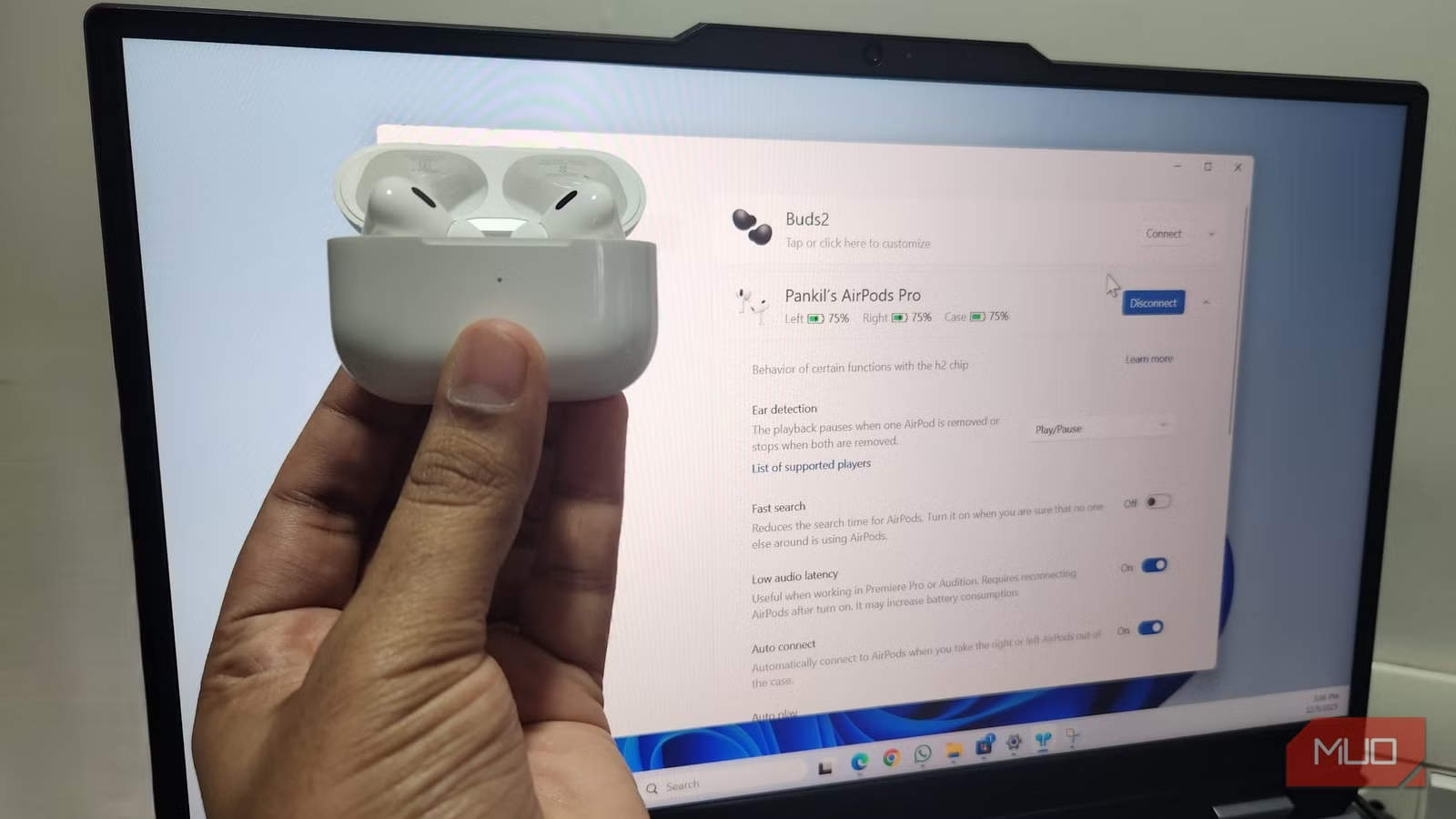
The MagicPods app unlocks the full capabilities of your AirPods on a Windows PC. Once installed, it can detect your AirPods automatically as soon as you open the case. You even get the same pop-up animation you see on an iPhone or Mac every time you connect.
It gets better. Head to the General settings tab in MagicPods and you can customize that animation. You’ll find options to change the pop-up window size, position, and even the theme. From the same menu, you can increase AirPods search radius so that the app can detect them from farther away.
One of its most practical upgrades, though, is battery tracking. MagicPods shows your AirPods’ battery level directly on the taskbar. And if you hover your mouse over it, you get individual percentages for each earbud.
MagicPods also brings automatic ear detection support to Windows. It pauses the playback once you remove one AirPod and stops it completely if you remove both. When you put them back in, the audio resumes automatically.
Enjoy low-latency audio, battery alerts, and a lot more
Screenshot by Pankil Shah — No attribution required
Beyond the big stuff, MagicPods also adds some real quality-of-life improvements that make AirPods far more enjoyable to use on Windows. One small but delightful perk is Auto Play. Once enabled, it starts music playback as soon as you connect the AirPods.
If you use creative apps or like to game, the Low Latency Mode is a welcome bonus. It helps reduce audio delay, which is especially useful in apps like Premiere Pro.
MagicPods also has your back when battery anxiety kicks in. It sends low battery alerts so you know exactly when it’s time to recharge. By default, it notifies you when your AirPods battery drops to 30%, but you can set it to whatever level you prefer.
Then there is the VoiceOver notifications feature. As the name hints, it literally speaks notifications in your ears so you never miss an important alert. And yes, you can disable these alerts for specific apps so you are not bothered every time an app wants attention.
Other than that, MagiPods lets you set the default headphone volume, turn on fast search for quicker connections, and even change the sound output device when you remove AirPods without fully disconnecting them.
Customizable hotkeys are the cherry on top
Shortcuts that make you feel like a pro
Screenshot by Pankil Shah — No attribution required
I don’t know about you, but there’s something undeniably satisfying about controlling an app with keyboard shortcuts. MagicPods taps right into that feeling. Head to the Hotkeys tab, and you can set up custom keyboard shortcuts for the most useful AirPods actions.
You can connect or disconnect your AirPods without ever touching the settings menu. It’s also possible to set up a hotkey for cycling through available sound output devices. And if your AirPods support noise cancellation, you can bind shortcuts to toggle ANC on or off, switch to transparency mode, or activate adaptive mode.
Yes, AirPods Work With Android: But Here’s the Catch!
AirPods will work on other devices, but don’t expect all the best features.
MagicPods supports other wireless earbuds too
Don’t let the name fool you
Screenshot by Pankil Shah — No attribution required
MagicPods is not limited to just AirPods. It supports a wide list of wireless headphones, including Beats, Galaxy Buds, select Sony models, and many others. This means if you ever switch to a different brand, MagicPods can still help.
Even those AirPods lookalikes can also benefit. As long as they report battery data and basic features over Bluetooth, MagicPods will do its best to make them feel more polished. Also, if you often switch between AirPods and other headphones, you can set different settings and hotkeys for each of them in MagicPods.
No data collection, works offline, and no subscription
MagicPods brings all the features I missed when using AirPods with my Windows PC, and it does so without collecting any data. I love that the app works offline, doesn’t require any accounts, and doesn’t overwhelm you with complicated settings. Everything is packaged in a nice, clean interface. If you love your AirPods but feel like Windows has been holding them back, MagicPods is one of the easiest upgrades you will ever make.
