

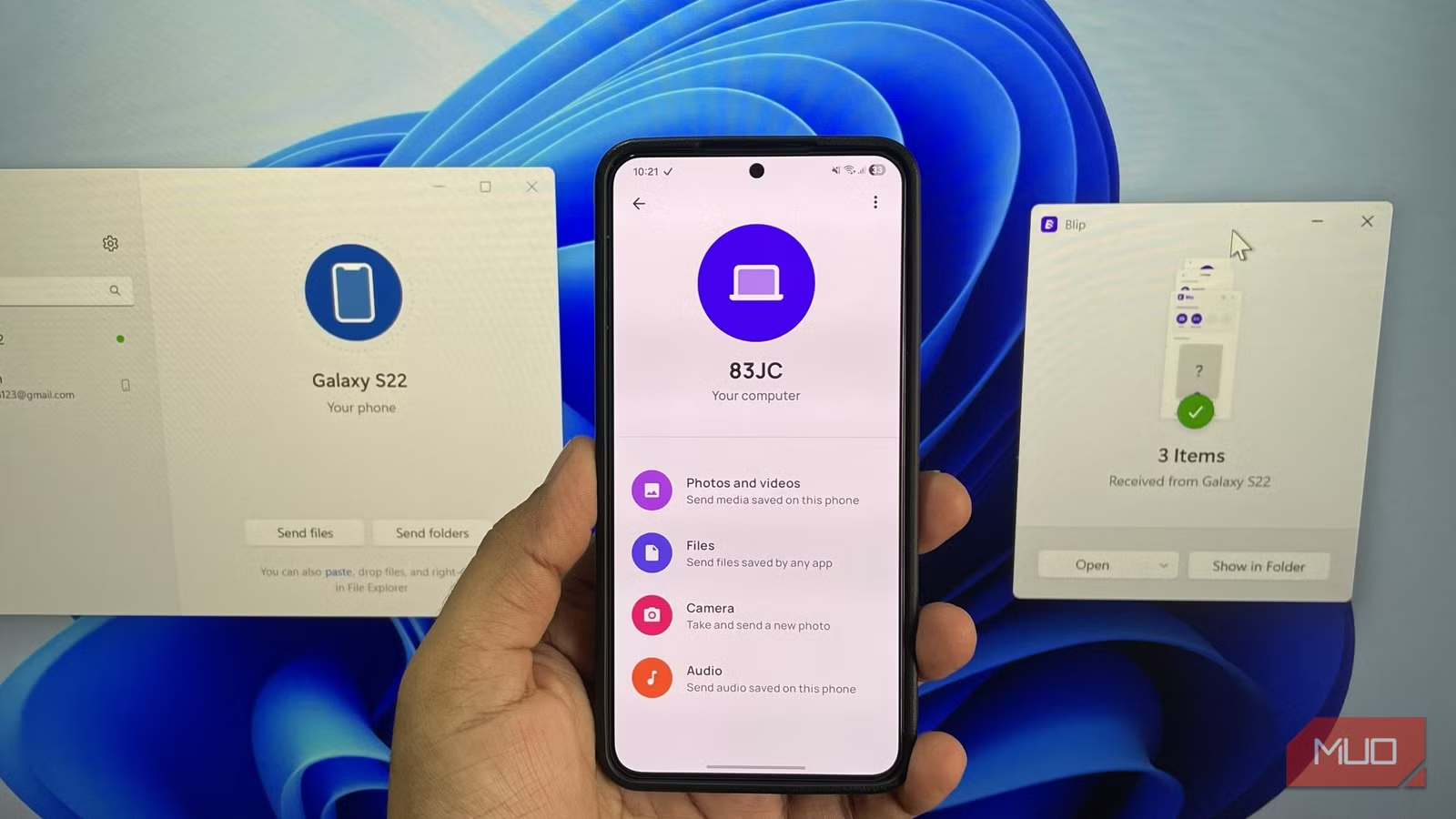
File sharing options are plenty these days, from built-in tools like AirDrop and QuickShare to third-party apps like LocalSend and a never-ending pile of web-based solutions. I’ve tried pretty much all of them over the years, but every single one seems to have something missing. Either they’re too picky about the devices you use, or they demand everyone be on the same Wi-Fi network, or they slow to a crawl when files get bigger.
Blip doesn’t have any limitations. It’s available on every device I have, faster than the rest, and even works when devices are not on the same network—or anywhere near each other.
Blip solves the biggest pain in file sharing
What makes it different
The biggest limitation with LocalSend and most other file transfer tools is that they require your devices to be on the same network. That’s not always possible or convenient, especially when you’re out and about.
With Blip, that’s not a problem. You can send files between devices even when you’re not on the same network. And unlike Quick Share or AirDrop, both devices don’t have to be physically close. That’s because Blip uses the internet when devices are not on the same network. It also does something clever. It doesn’t upload the file first and then download it on the other device. The moment you hit send, the other device starts receiving the file in real time.
Setting up Blip is simple. All you have to do is enter your email ID and name. Once you have set up Blip on all your devices, they all show up in the app. From there, you can pick up any device and send a file or folder right away. And the most convenient part is, you don’t even need to wake up your other device and accept the transfer.
Sending files to others is just as easy. You can simply type in their name or email in the search box, select the recipient, and start sending. Once they accept, the file is sent instantly.
Send entire folders with structures intact
No more zipping and unzipping
Screenshot by Pankil Shah — No attribution required
Sometimes the real headache is not transferring the file itself, but the mess that comes after. One annoying limitation with most file transfer tools, including the native options like Quick Share, is that they don’t allow sharing entire folders. So you end up compressing it into a ZIP file just to keep it together and then unzipping it later.
Blip takes care of this. You can send folders exactly as they are. And on Windows it gets even easier. Right-click the folder, select Blip, and choose the recipient. Every subfolder, every organized layer, and every carefully named file stays in place.
It’s ridiculously fast and doesn’t have any size limit
Who doesn’t like that?
Pankil Shah / MakeUseOfCredit: Pankil Shah / MakeUseOf
Speed is where Blip really flexes, and honestly, that’s the number-one priority when you’re sending files. When both the devices are on the same network, Blip delivers transfers that feel almost instant. I tried sending the same set of files through Blip, LocalSend, PairDrop, and even QuickShare. Blip finished first every single time.
Then there’s the size freedom. Blip does not put any limits on how large your files can be. So as long as you have a network that can keep up, Blip won’t disappoint you. That’s a huge plus when you’re sending 4K videos, project folders, or uncompressed files.
AirDrop is finally coming to Android, but only if you have this phone
File transfers just became less of a headache.
It’s free, secure, and easy to use
A rare combination
Screenshot by Pankil Shah — No attribution requiredScreenshot by Pankil Shah — No attribution requiredScreenshot by Pankil Shah — No attribution required
Blip checks all the right boxes without asking you for money. It’s completely free for personal use, so you can install it anywhere and start sharing right away. Businesses do need a subscription, which costs $25 a month for every user.
Security is another strong point. Blip doesn’t upload anything to the cloud, so nothing gets stored on servers. This is also why it doesn’t offer link-based sharing. Blip claims to encrypt files in transit using the TLS 1.3 protocol. This helps keep your files secure from hackers trying to intercept the connection.
Finally, the fact that you don’t need to open Blip manually while sending files to your own devices is what makes Blip shine for me. Trust me, when you’re sending files between devices dozens of times a day, this convenience matters.
The only downside…
As great as Blip is, it’s not a perfect solution for every scenario. If you just need to send a quick photo to a friend or share a one-off file with someone who’ll never use the app again, Blip is not the most convenient choice. That’s because it requires both sides to install an app and sign up with an email before anything can move.
For those casual moments, I would still reach for something like PairDrop. It works entirely through the browser and doesn’t require creating accounts.
